



Luckysheriff Account Login and Registration
To set off on a gaming journey in our online casino, you first need to get through the Luckysheriff login door. It opens up a ton of possibilities that unregistered users can only dream about. If you prefer acting to dreaming, creating an account is a great way to start things off.



New User Registration at Luckysheriff
Without having an account, the list of available activities remains quite limited. You can still browse through our game collection, but some titles won’t be available at all. Many slots can be launched in a demo mode, but it only showcases the mechanics—you won’t be able to claim any winnings.
Creating a Lucky Sheriff Casino account is a guaranteed way to get full access to the player’s toolkit, which includes
- Depositing and withdrawing funds
- Playing all games
- Participating in tournaments
- Claiming bonuses
- Changing your personal information and account settings
- Accessing our referral program
- Increasing your loyalty rank
These and a dozen other options become accessible once you complete the Luckysheriff login procedure. This process, in turn, takes no more than a dozen seconds, or even less if you type fast.
Create Your Account
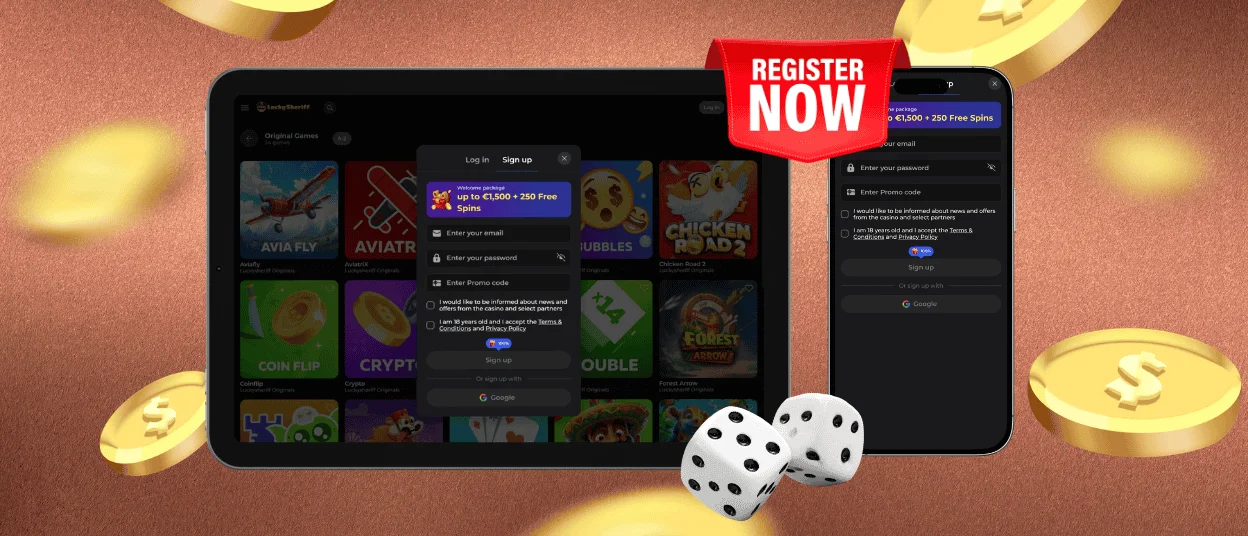
We made sure the Luckysheriff registration procedure requires as little information from you as possible for us to provide our services. We don’t ask for any details you wouldn’t need on any other website. Follow these instructions to create your own account at Lucky Sheriff Casino:
- Press the “Sign up” button in the upper-right corner of your screen (on any device).
- Enter your email address and password (make sure to write them down, even if your browser promises to save them).
- Agree to our Terms and Conditions and Privacy Policy, and confirm that you are at least 18 years old.
- Choose whether you want to subscribe to our newsletter and receive promos in your email.
- Press “Sign up” once more to create an account.
And just like that, you are all set. Now you only need to fill in first and last names, date of birth, and phone number. From now on, you automatically complete the Luckysheriff login procedure when visiting our casino. Should you require assistance with account creation, our Support Team is always available to help.
Using a Luckysheriff Account
If you ever want to use a different device to visit our website or get logged out for some reason, you won’t need to create another account. All you need to do is click on the Lucky Sheriff login button (also in the upper right corner) and enter your email and password. You’ll be back at your profile in no time.
There are numerous ways to manage your account on your Profile page.
- General Settings. This tab allows you to change your personal data (username, first and last names), contact details (phone number and email), and address (needed for the verification process). This section is also where you can adjust notification settings or activate Hidden mode.
- Gambling Limits. This is the place to implement any of the self-regulation tools we offer at Luckysheriff Casino. You can set a deposit limit (per day, week, or month), establish limits on your session duration, or request a self-exclusion.
- Invite Friends. All information on our referral program is gathered here. You can copy your referral link to share with friends and monitor your referral stats: the number of people you’ve brought in and the funds you’ve earned.
- History. Whenever you do something at Luckysheriff Casino, this page remembers it. Here you can see the history of your transactions, bonuses claimed, games played, and bets made.
- Wallet. Pretty self-explanatory, this tab holds information on your funds. From here, you can make a deposit, request a withdrawal, or check the current withdrawal limit, as well as change the currency of your account.
As you can see, after your Luckysheriff login is complete, you can find all the information you might need, as well as tools to adjust your profile settings. If there is a function you need but can’t find, contact us via live chat, and we will take care of it shortly.
Luckysheriff Account Verification and Security
Eventually, you will want to withdraw your winnings. The withdrawal is one of the actions that becomes available after you complete the verification process. Verifying your identity is a required step to prevent potential law infringement, both intentional and unintentional.
Lucky Sheriff asks you to gather documents to confirm your identity, address, and ownership of your payment method. The list of relevant documents is given below.
| Confirmation Type | Appropriate Documents |
| Identity | Passport, national ID card, driver’s license |
| Address Proof | Utility bill, bank statement, residence certificate |
| Payment Method Proof | Photo of bank card, e-wallet screenshot, bank statement |
Once you have gathered the appropriate documentation, submit it via the account verification section. Our Luckysheriff Casino team will review the documents you present within 48 hours and email you our decision.
While we take primary responsibility for the security of your account, we also provide tools you can implement to strengthen it yourself. For example, with Two-Factor Authentication enabled, you will need to provide a code sent to your trusted device every time you log in.
As for our part of the deal, we adhere to all the practices that have become staples of modern Internet security. Lucky Sheriff Casino uses secure key exchange methods (ECDHE, RSA-2048), constantly updates its Web Application Firewalls, employs the latest Intrusion Detection & Prevention Systems (IDS/IPS), and regularly conducts code integrity checks.
Password Recovery
Forgetting your password is one of the most common issues our players face, but it can be resolved in a few seconds with a simple reset. Click the “Forgot password?” button at the Luckysheriff login window, enter your email, and confirm the reset. A restoration link will be sent to your email. Follow it and create a new password for your Luckysheriff account.
FAQ
What happens if I fail the verification process?
Your verification attempts are not limited to a single one. If you fail your first verification due to a lack of documentation, you can submit a new request. Make sure to consider our comments if you want your second attempt to be successful.
How to update password or email address?
If you want to change your email address or password, open your Profile settings. Email addresses can be changed in the Edit personal data section, while passwords are changed in the Security tab.
What should I do if my account is locked?
The most common reason accounts are locked is multiple unsuccessful login attempts. In cases like that, simply wait until the freeze time passes (depending on how many attempts were made). Please reach out to our multilingual support if you are unsure why your account has been blocked.


